Create with Google
Summary
Create with Google is a platform serving the global maker community with guidance, best practices, and practical tools for Google’s ecosystem. I built the foundational Material Design library and flexible templates that hero creator work — not corporate messaging.
Google’s voice, makers’ stageDirect link
The maker community didn’t need another product marketing site. They needed a front door that teaches, inspires, and gets out of the way — with real examples from people who build for a living, not slides from a brand deck.
Over several months I ran workshops, creator interviews, and content audits across the global maker community. The tension was constant: Google’s brand presence had to be strong enough to signal trust, but quiet enough that creator work stayed in the spotlight.
What kept surfacing: makers wanted authenticity, peer examples, and practical implementation guidance they could use the same afternoon. Corporate messaging and generic hero sections pushed them away. The hypothesis that emerged was that a platform like Create with Google only works when it heroes the work of creative professionals rather than overshadowing it.
“Show the work, teach the craft.”
Every UX and visual decision followed from that. I built a foundational Material Design component library tailored for the platform, plus flexible templates that scale from long-form guides to interactive demos — diverse content, one cohesive visual language.

Exploration 🧭Direct link
We started wide — exploring how Create with Google could feel across YouTube, guides, and showcases without locking into one layout too early. Dozens of directions tested how maker stories, platform education, and Google’s voice could share one stage.
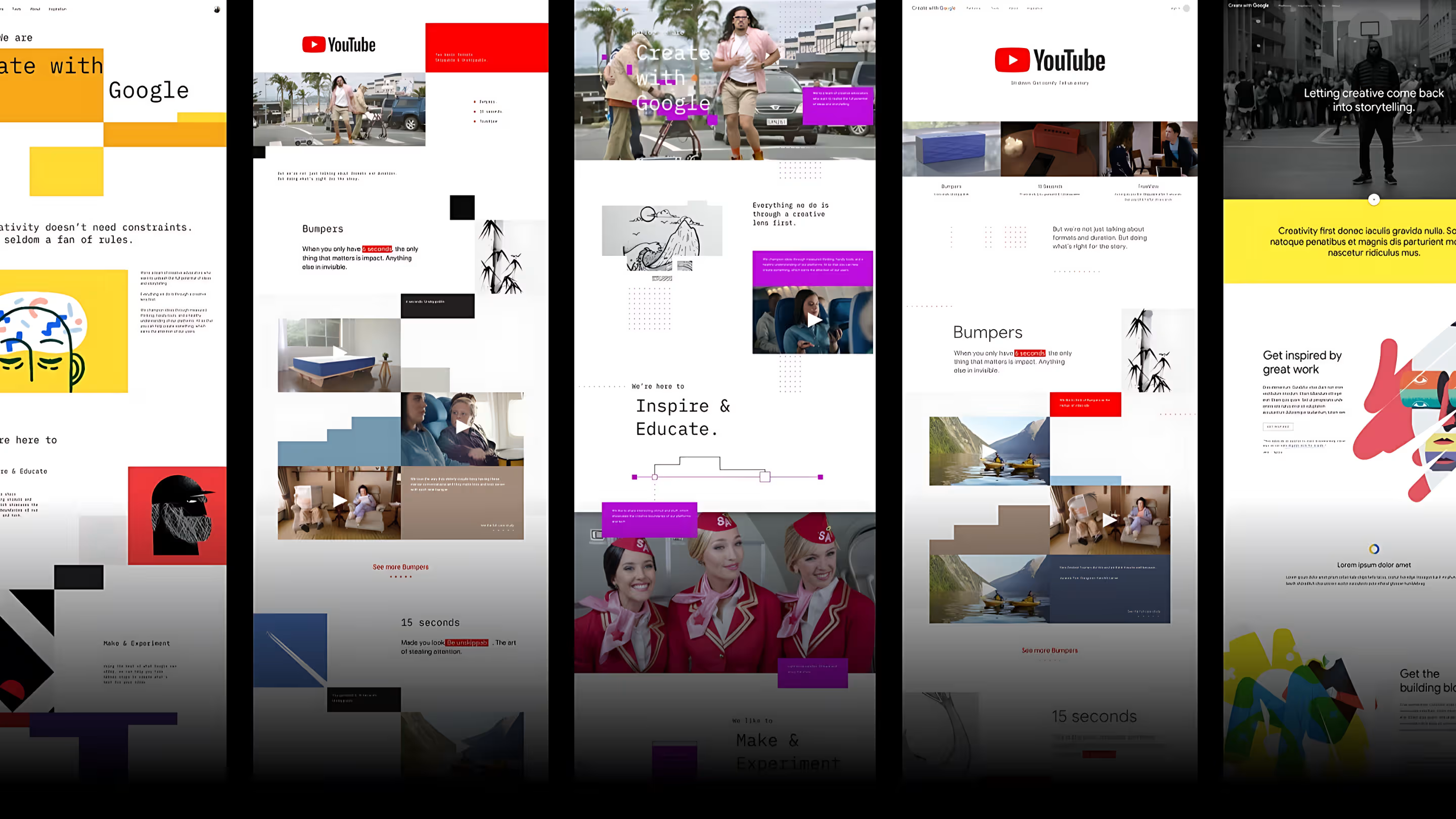
Material system at scale 🎨Direct link
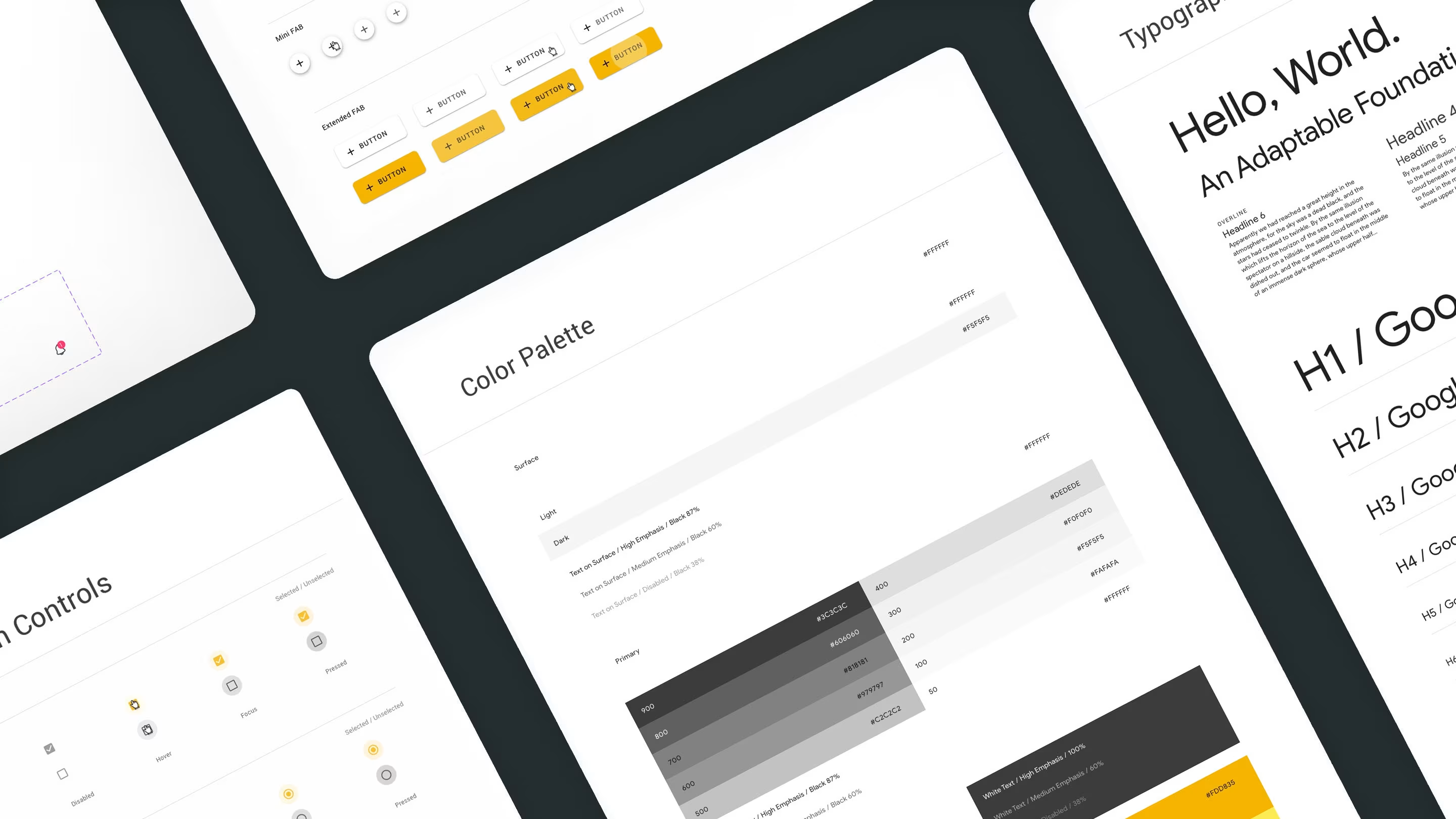
Once the directions were clear, I codified them into a Material-based system: colour ramps, type scale, buttons, and selection controls that could hold diverse content without fracturing.
Built for makers 🛠️Direct link
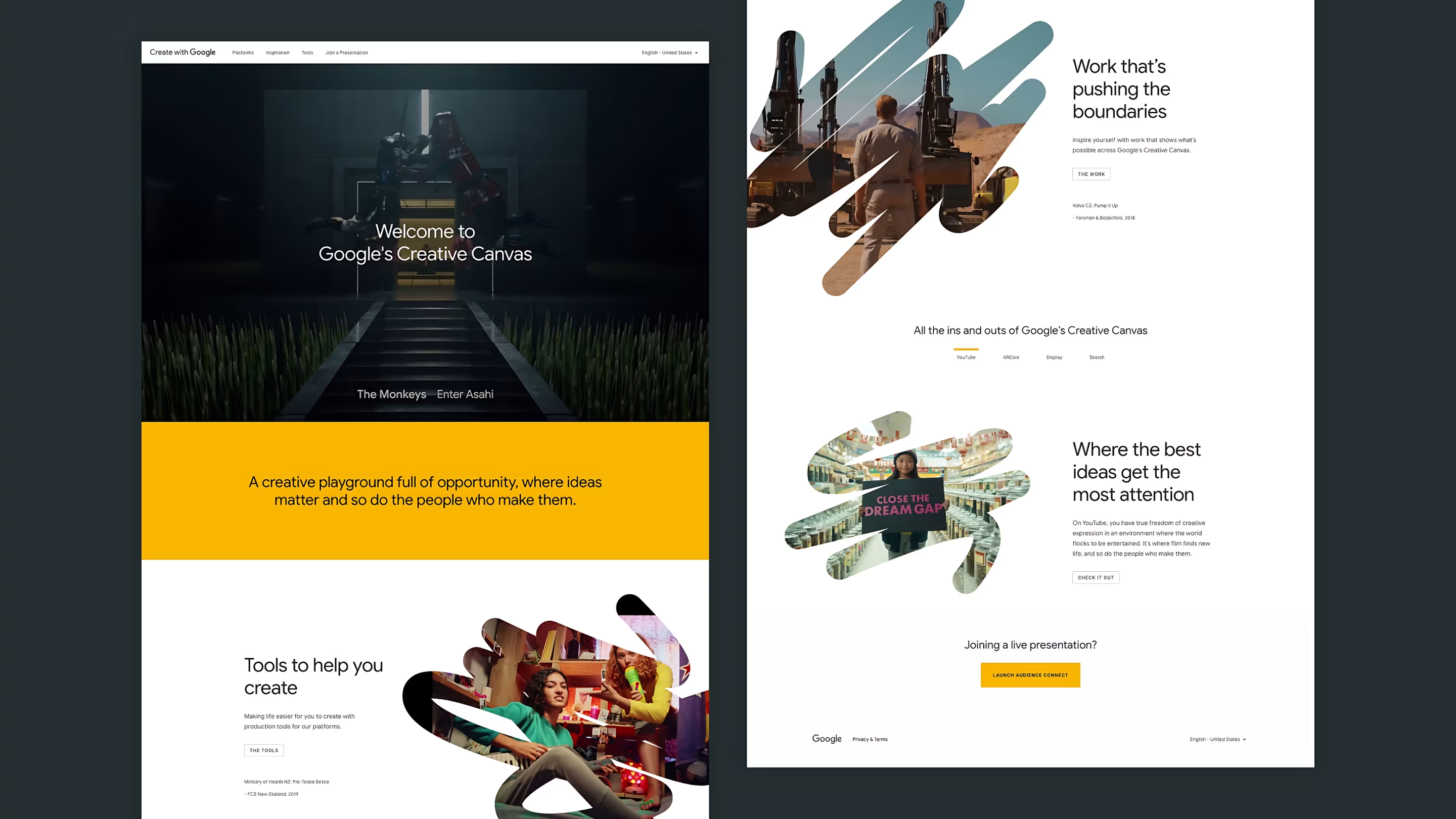
The platform had to hero creator work, not brand decks. I designed the Creative Canvas homepage with brushstroke imagery and clear paths to Tools and Work — a front door that teaches, inspires, and gets out of the way.
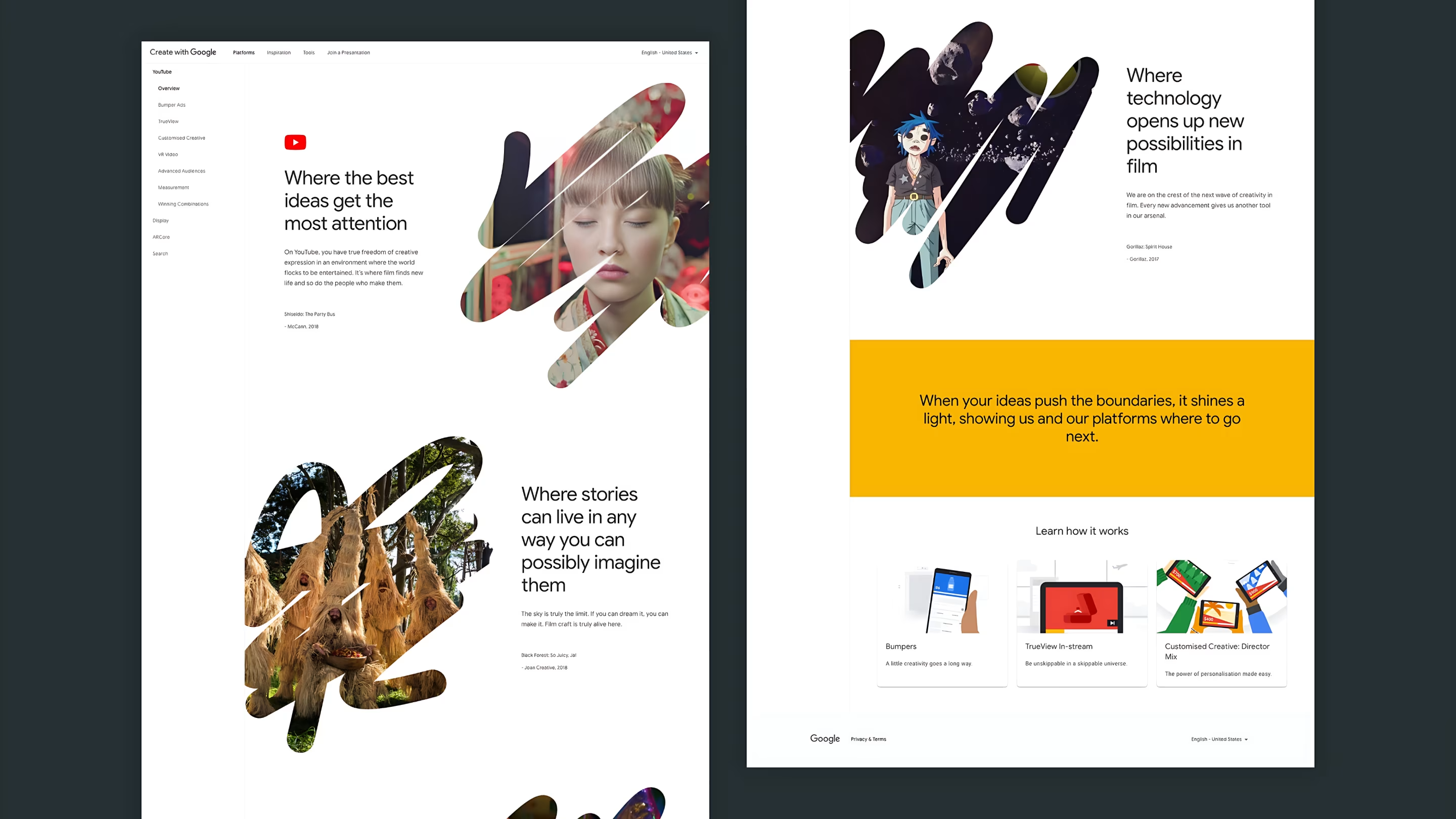
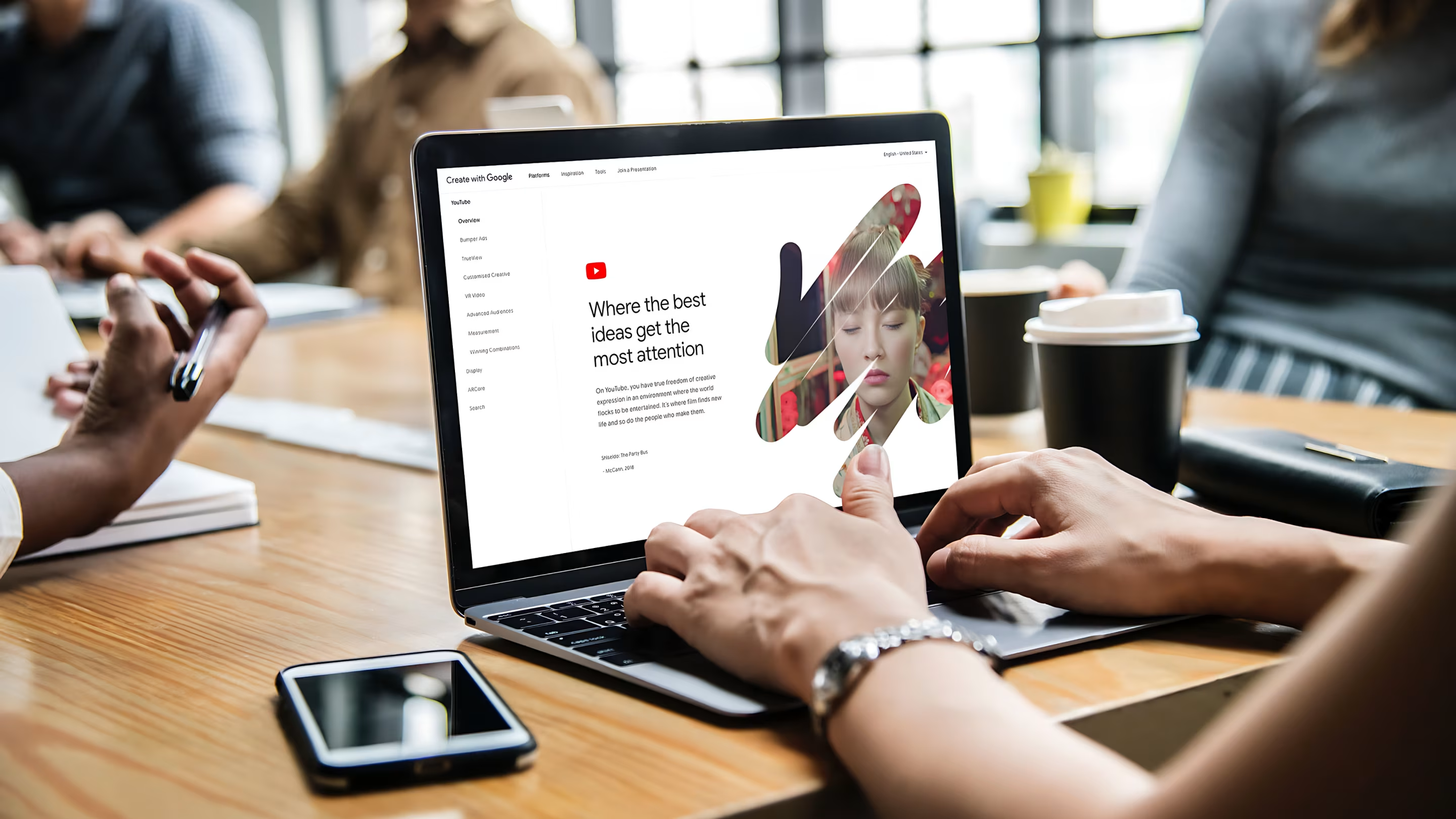
On YouTube, I built section templates where peer examples, sidebar navigation, and Learn-how-it-works cards put film craft and ad formats within reach the same afternoon.
Tools on the go 📱Direct link
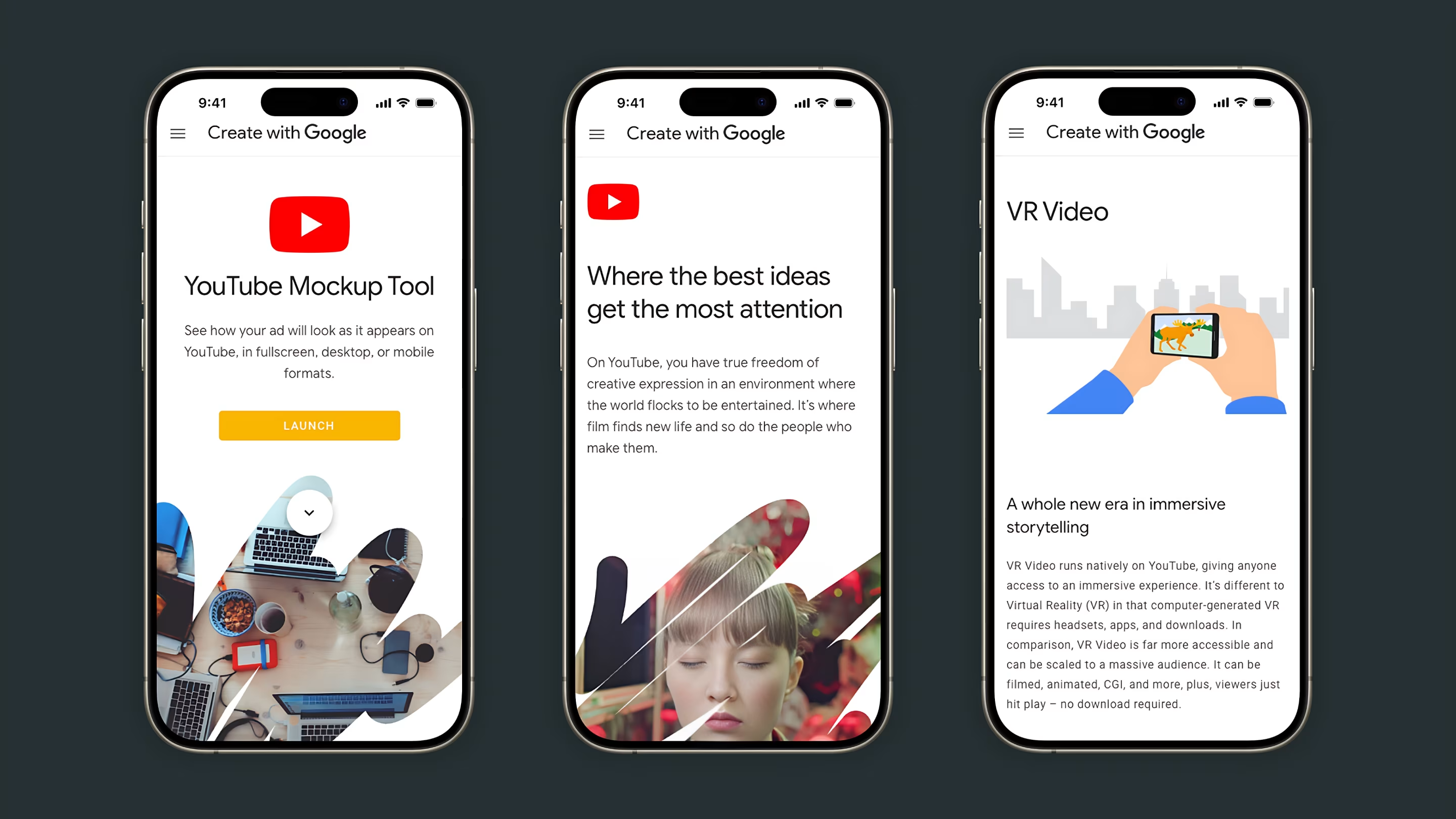
Makers also needed hands-on utilities — a YouTube mockup tool, format previews, and accessible VR video guidance they could launch from their phone without reading a manual first.
What changedDirect link
Research and rollout feedback validated the direction. Makers engaged more deeply with peer content and practical guides. The design system let teams ship new showcases faster without reinventing layout each time. Google’s creative tools felt more approachable because the platform itself modelled how to use them well.
Create with Google became what it was meant to be — a public access point for the entire maker community, not a corporate brochure with a comments section.
Behind the work
- Role
- Product Designer
- Company
- Services
- Research, UX Design, UI Design, Material Design System, Motion Design
- Platforms
- Web
- Focus areas
- Layout exploration, Material system, Creative Canvas, YouTube templates, mobile maker tools
- What I wanted to show you…
- Enterprise brands can still feel human when the layout heroes the community’s work.
- What I learned…
- Templates that flex without fracturing are worth the upfront investment. Makers move fast; the system had to keep up.